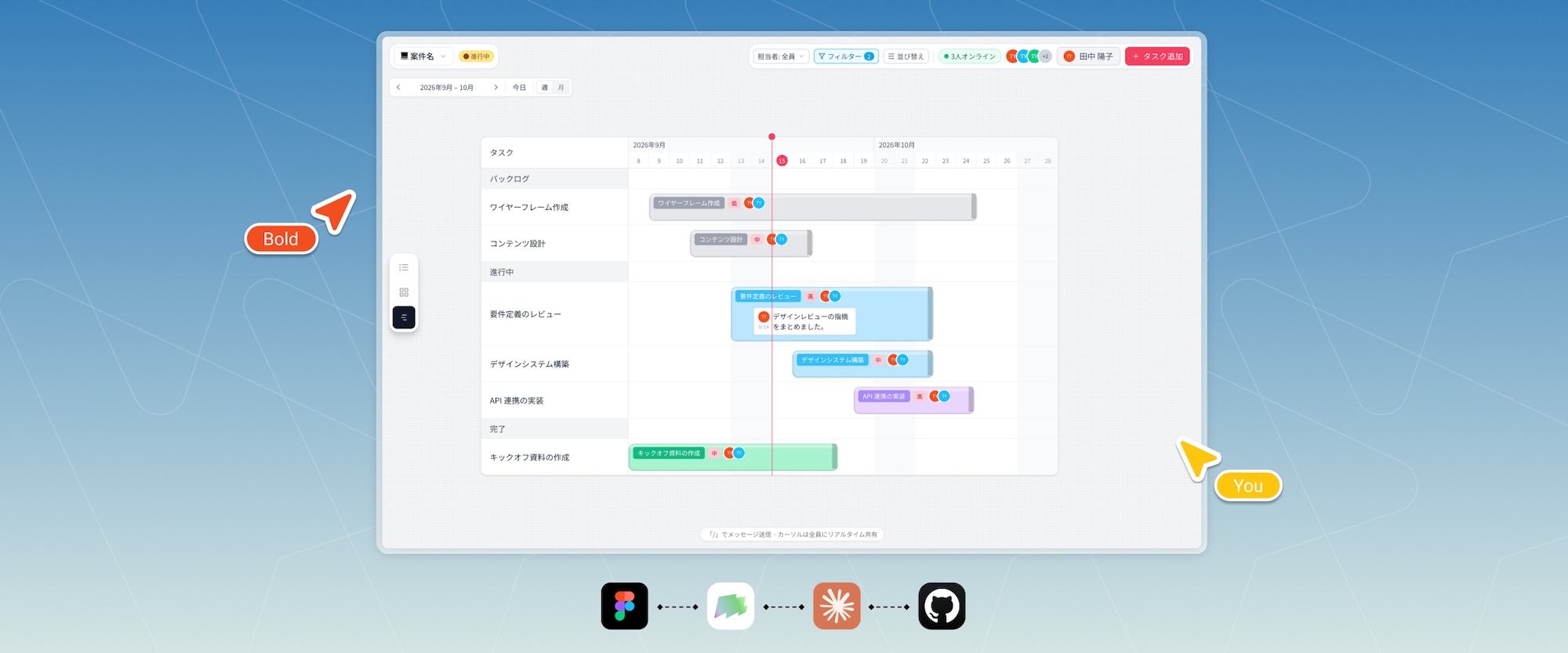
Project Timeline
AI-Native Project Management Web App
Project Timeline is an internal project management web app designed around a shared visual timeline, helping our team plan, coordinate, and manage projects in one place.
Context
We are a small team of fewer than 10 people, which means we need to work efficiently while staying flexible. Every morning, we review our active projects together and align on priorities, progress, and next steps.
Previously, we managed our work across Figma, Trello, and Notion. None of these tools fully matched our workflow. They introduced features and complexity we rarely needed, while limiting the way we wanted to visualize and manage our projects.
As AI development tools became more capable, building a purpose-built internal tool became realistic. We saw an opportunity to create an AI-native workspace designed around the way our team actually works.
Timeline
June 2026 - August 2026
(2 months)
Team
Coworkers, Project Director and Designer (me)
Tech Stack
Figma, shadcn/ui, Claude, GitHub, MagicPatterns, Supabase, Vercel
Design Principle
User-Centered Design
My Role
Research, Design System, Web App Design, Project Direction
Ownership
I led the project end to end, from initial research and product definition through design, development, and deployment.
Challenge
For years, managing projects in Notion and Trello gradually became difficult to maintain. Both platforms offered significantly more functionality than our workflow required, which introduced unnecessary complexity.
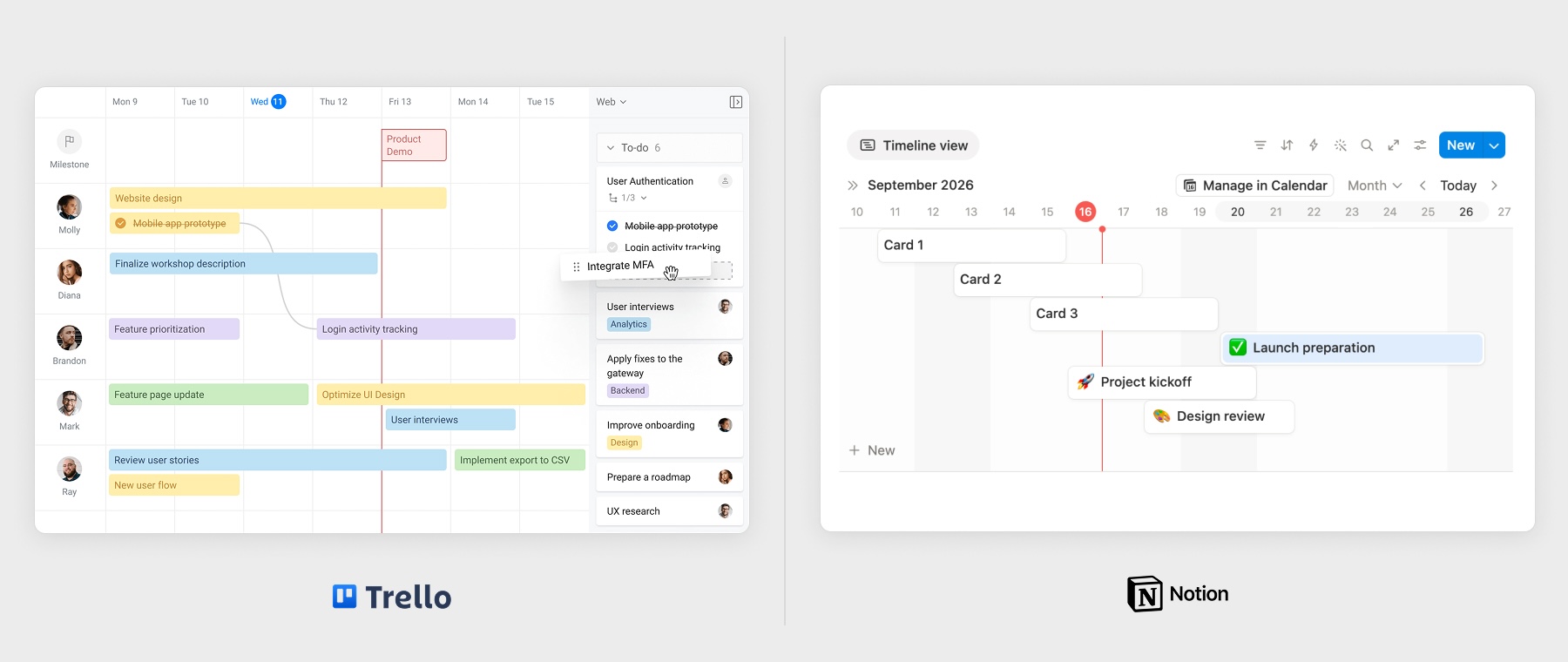
Trello is built primarily around a Kanban workflow. Although it provides a timeline view, it did not offer enough flexibility for the way we wanted to plan and visualize projects.
Notion is highly customizable, but its layout system made it difficult to freely control the size and positioning of elements across the workspace.
We needed something simpler, more flexible, and better aligned with our team's workflow.
First Iteration
We started looking for a more lightweight way to manage projects, and eventually moved to FigJam.
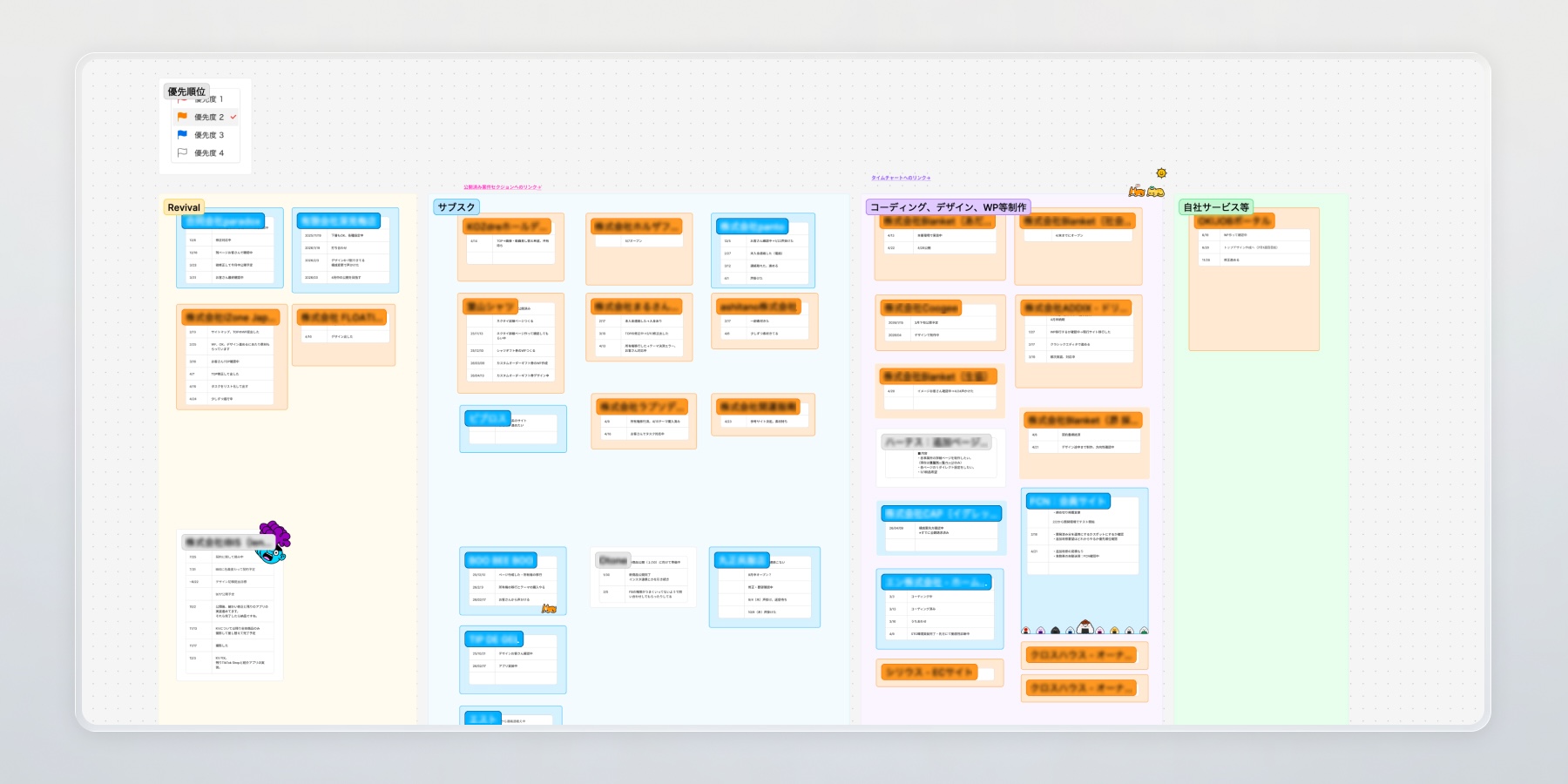
From the first session, the open canvas felt much closer to how our team naturally worked. We could freely place information, ideas, and project elements wherever they made sense.
We created our own project management workflow on top of FigJam and used it as our primary project workspace.
Problems
After six months of using FigJam, we reached its limits.
The flexibility of a free-form canvas was useful, but it also meant that many of the project management capabilities we needed were missing. More importantly, FigJam is not fundamentally a project management system, so the information we created was not structured as meaningful project data.
This became the turning point.
With AI development tools becoming significantly more capable, we realized we could build the system ourselves and create something specifically tailored to our workflow.
Design Goal
We wanted to build an internal project management application that integrated AI into the development workflow from the beginning.
Because AI development is evolving rapidly, we also needed an architecture and design workflow that could adapt as the tools changed.
Our approach was built around three principles:
- AI-assisted development — Build the application with Claude.
- A scalable design system — Establish reusable components and design tokens in Figma.
- A repeatable product workflow — Create a consistent process for designing, prototyping, implementing, and iterating on new features using Claude and MagicPatterns.
Design & Development Process
Building the initial application was simpler than we expected.
We provided Claude with the core product concept, requirements, and desired functionality, then used it to generate the initial application.
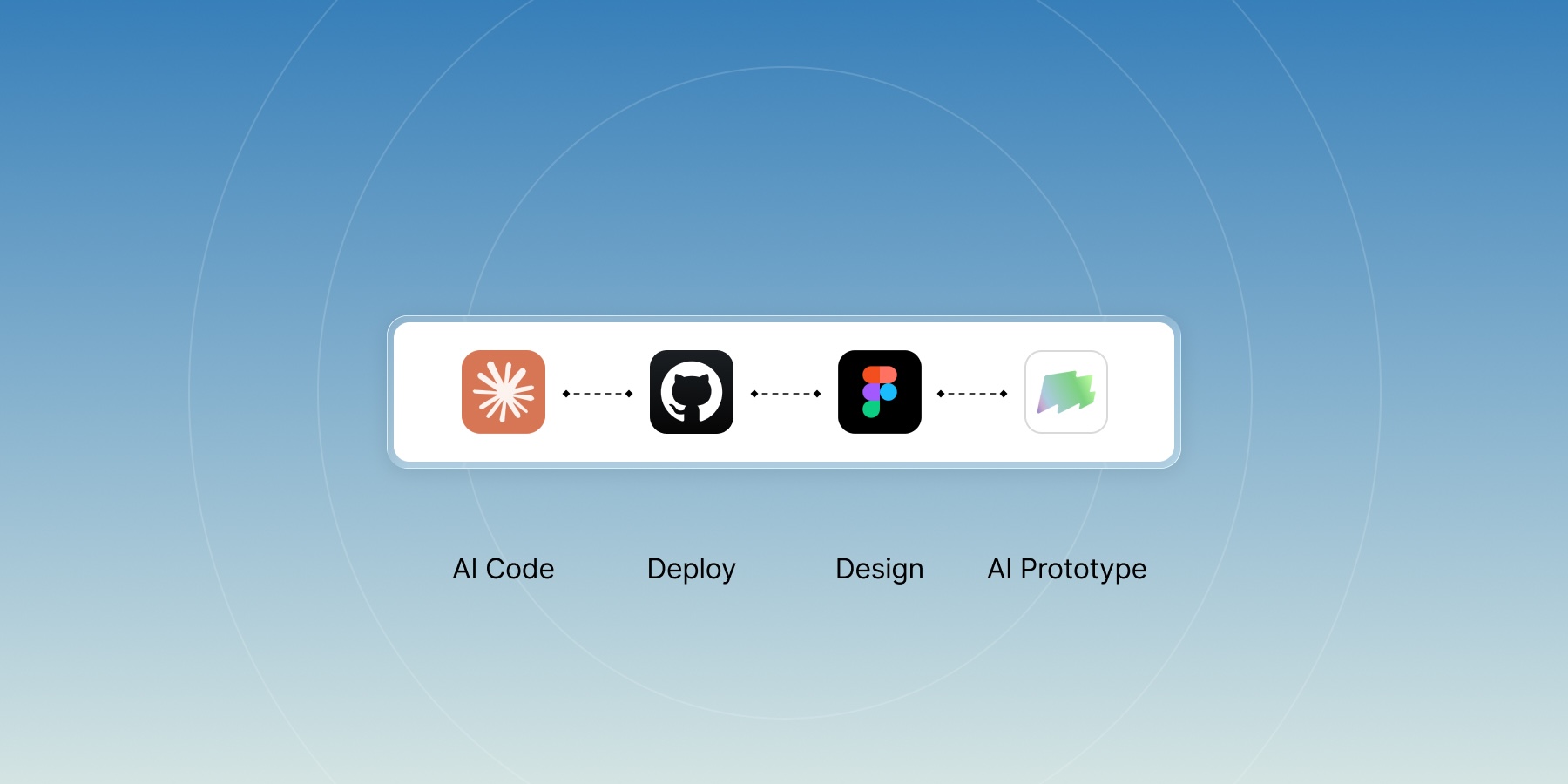
Once the application was functional, we reverse-engineered its UI into Figma by generating design tokens and reusable components. These became the foundation of our design system and provided a consistent visual language for future features.
For new features, we experimented with a different approach:
Prototype first, design later.
Because the application was an internal product developed by our own team, we could iterate quickly and validate ideas directly in the product.
We initially created interactive prototypes with Claude Design, but eventually reached its limitations. We then moved to MagicPatterns, which allowed us to generate and compare multiple design directions side by side.
Once a direction was selected, we tested the feature against a local version of the application before deploying it to production.
AI-Assisted Workflow
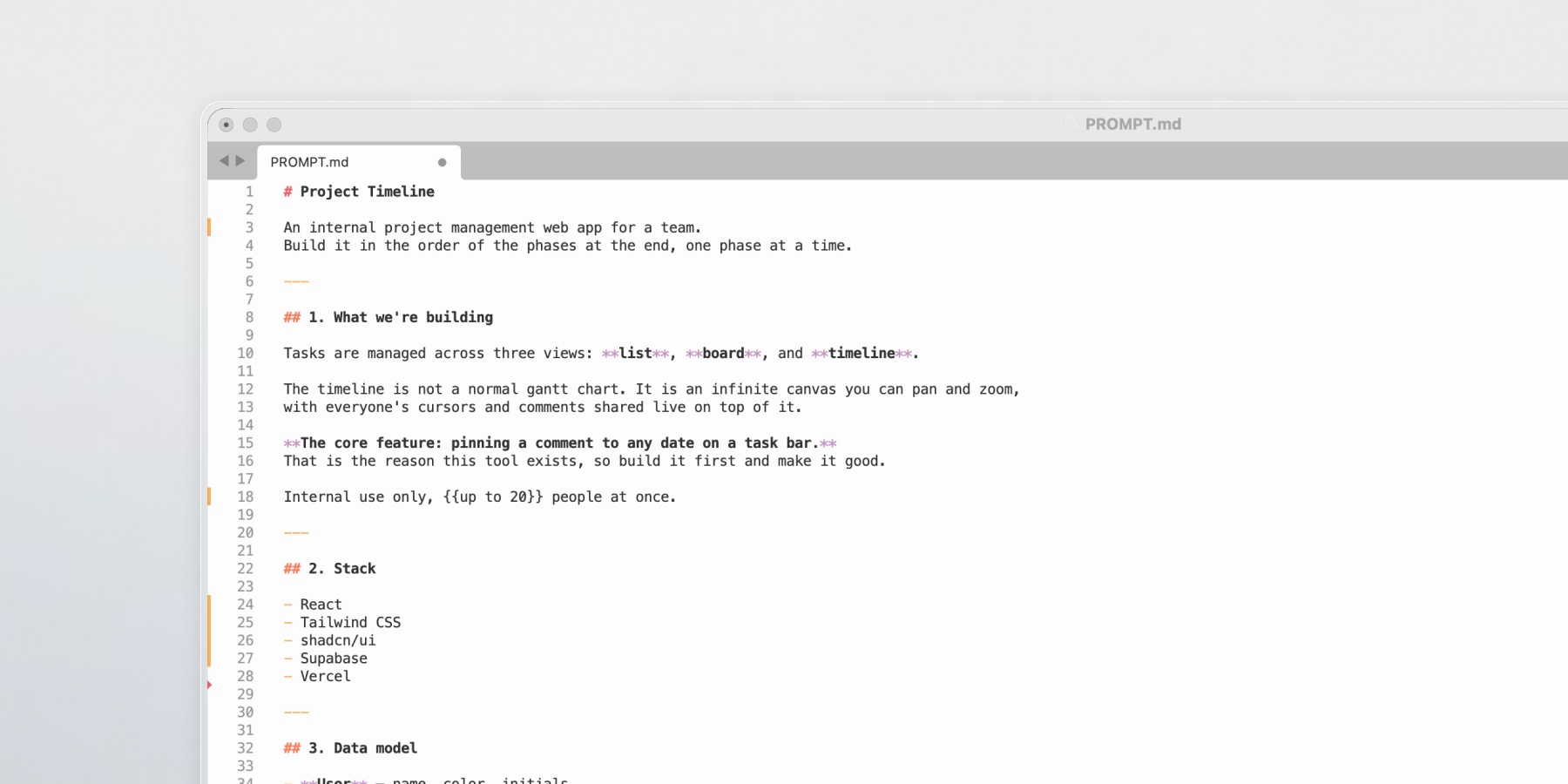
We first consolidated our requirements, ideas, and project context into a README.md file, giving Claude a single source of truth for the project.
Workflow with Claude
1. Generate the initial prototype
Claude generates the initial application, which we run locally to verify that the core functionality works as expected.
We used Claude Opus 5 (Max) for this stage.
2. Connect the application infrastructure
The prototype is connected to Vercel and Supabase.
3. Review security
Claude handles the initial security implementation, followed by a final server-side review.
4. Iterate and refine
We continuously refine the product based on requirements, feedback, and new ideas.
Key Features
Infinite Canvas
A flexible canvas with no fixed layout constraints, allowing users to freely organize project information and workflows.
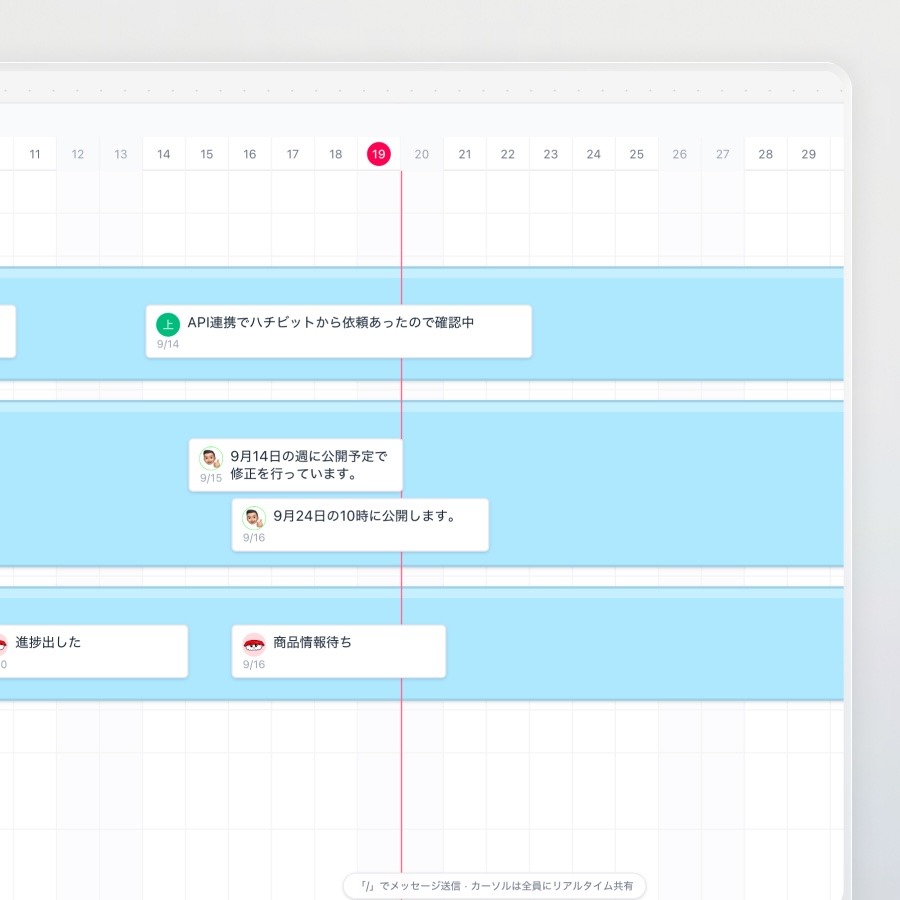
Timeline Comments
Comments are attached directly to tasks on the timeline, making project updates visible in context. Users can add comments with a simple double-click interaction.
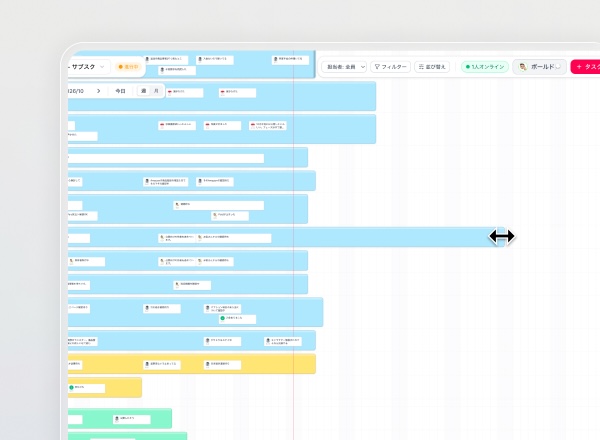
Drag to Reschedule Tasks
Tasks can be dragged horizontally across the timeline, allowing users to quickly adjust schedules and deadlines through direct manipulation.
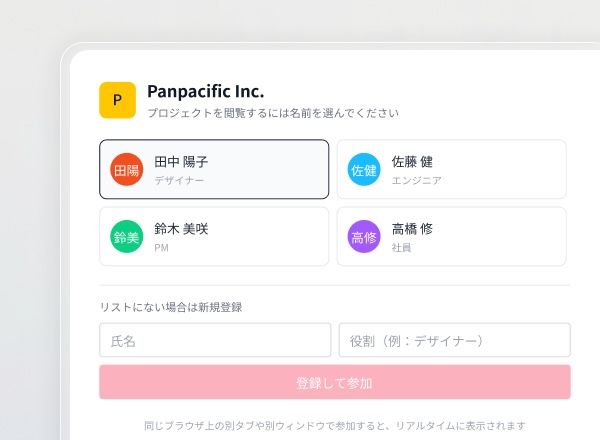
Streamlined Authentication
Users can authenticate using the Gmail address provided by the administrator. Login and registration are combined into a single flow to reduce friction during onboarding.
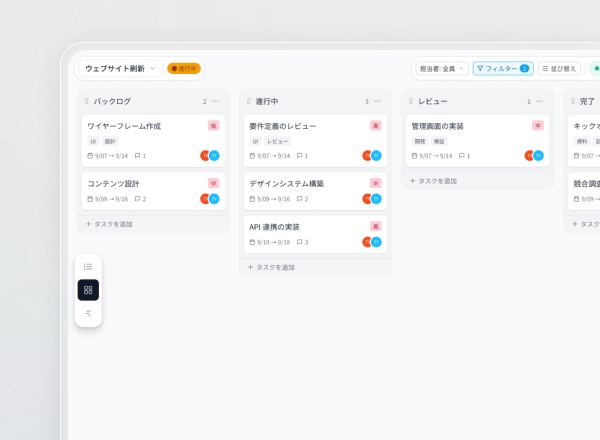
Multiple Views
Users can switch between Timeline, Board, and List views depending on how they want to plan and review their projects.
Building New Features with a Shared Design System
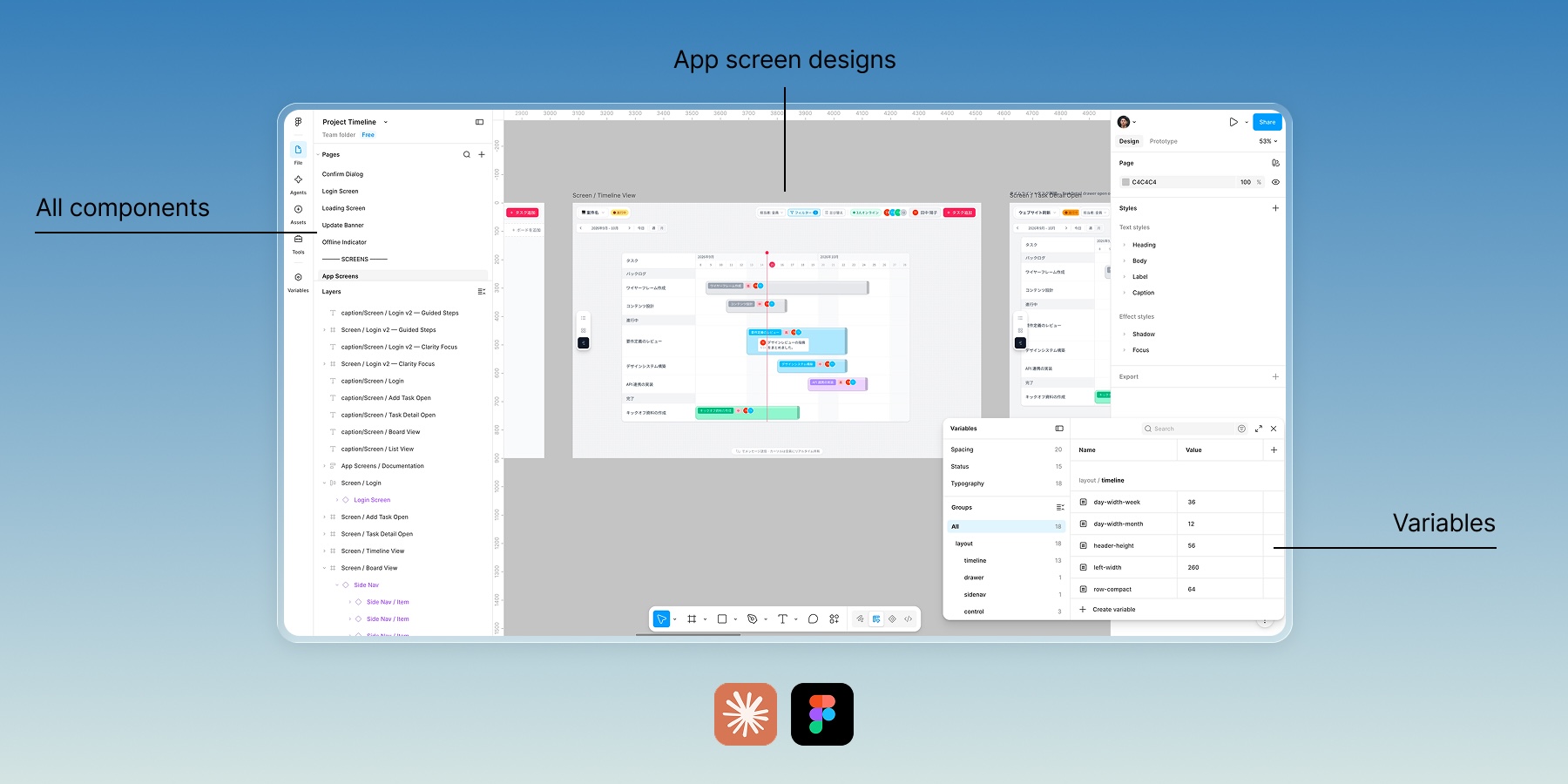
Claude generates the application's design tokens and UI components directly into Figma, allowing us to fully edit, refine, and customize the components and variables.
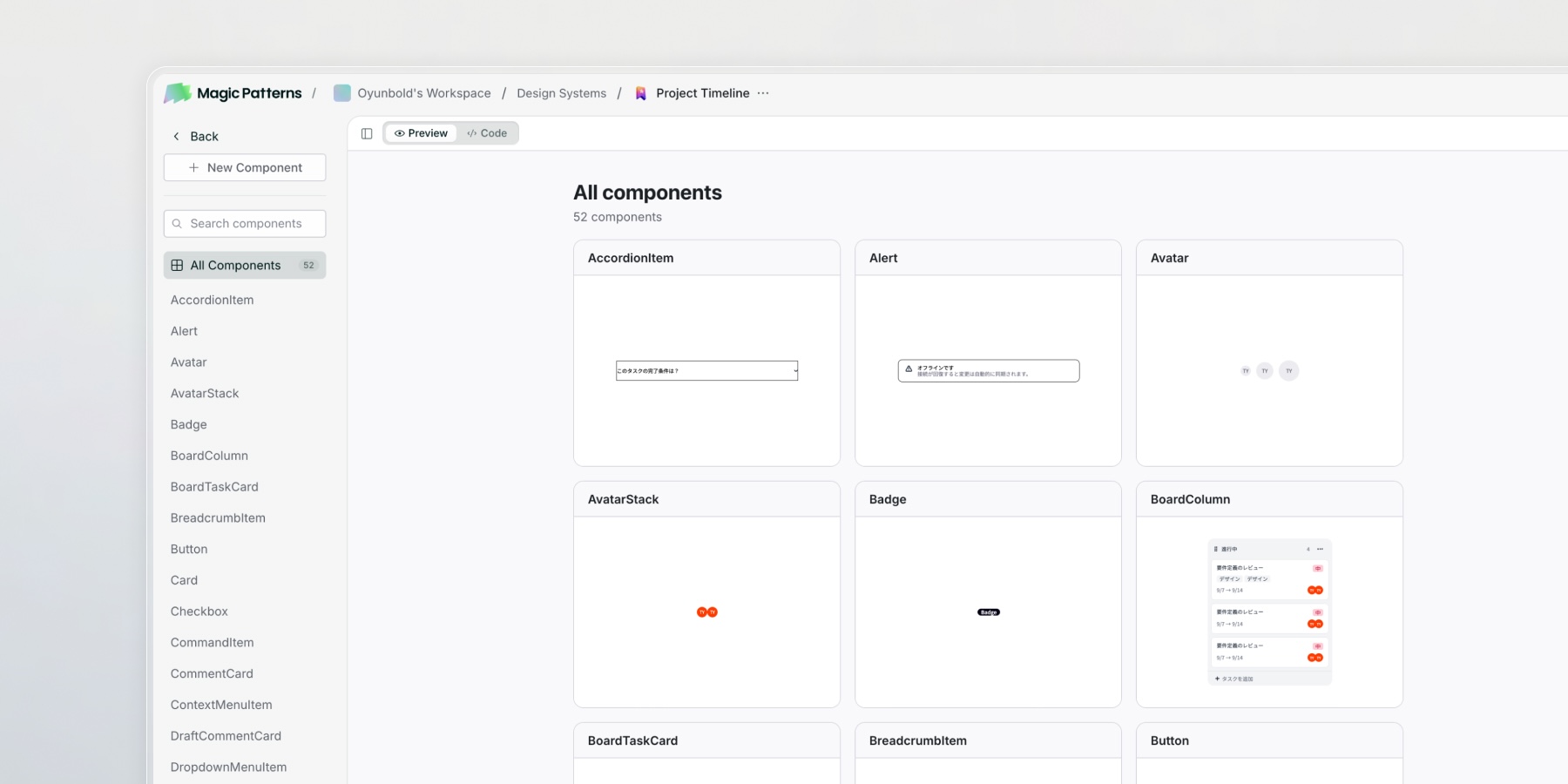
These components, tokens, and design rules are then imported into MagicPatterns to generate new design directions while maintaining consistency with the existing system.
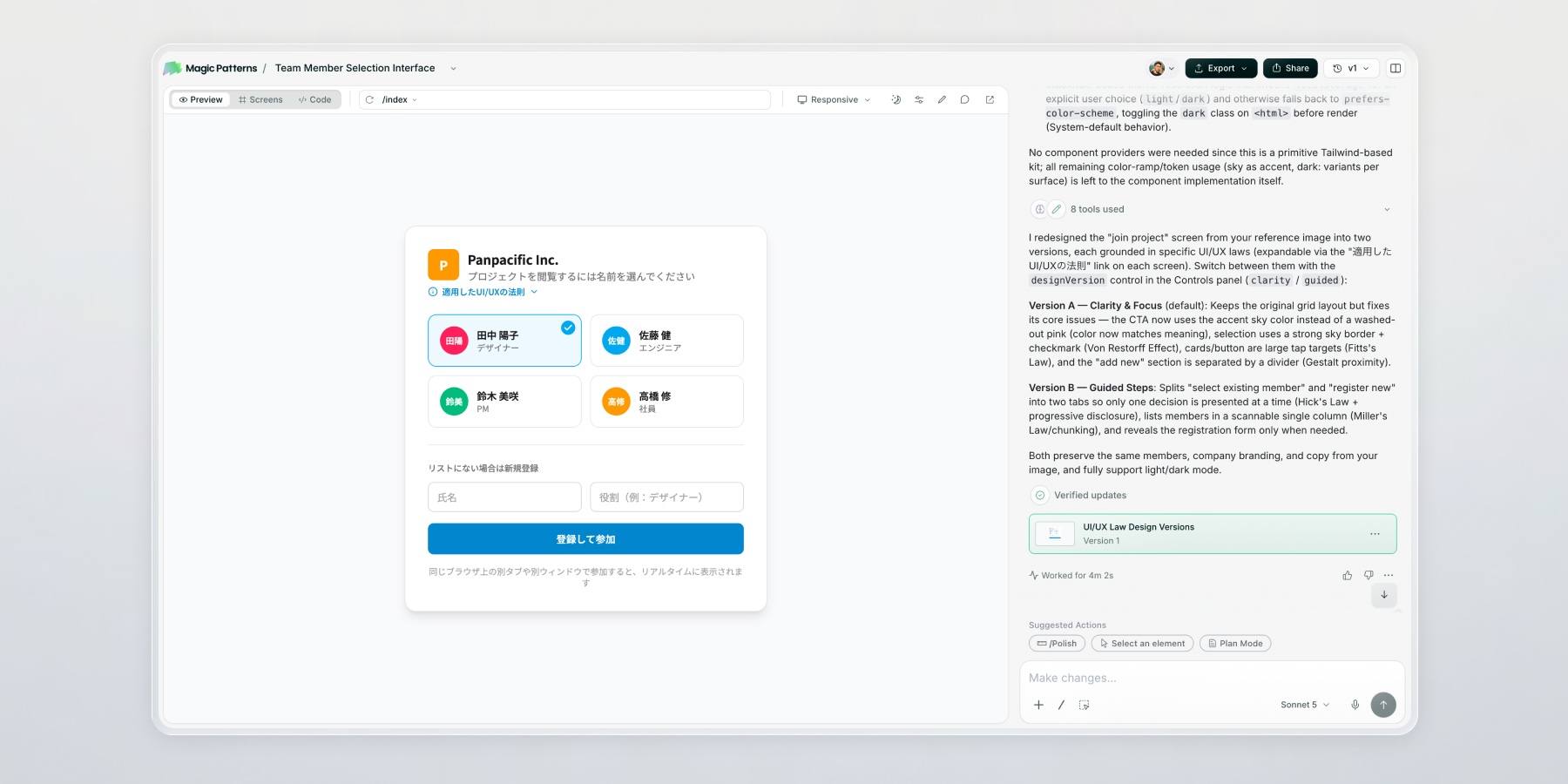
We prototype new ideas in MagicPatterns, select and refine the final direction, then use the resulting implementation as context for Claude.
The final feature is integrated into the application and deployed.
Key Takeaways
This project gave me the opportunity to explore a new product development model, from concept and design through AI-assisted development and deployment.
The most interesting part was not simply using AI to build the application. It was creating a workflow where design systems, prototyping, development, and iteration continuously informed one another.
The product is now running internally, and the biggest advantage has been speed. When someone has an idea for a new feature, we can move from concept to implementation and validation much faster than with our previous workflow.